
Login
Lenovo aimed the 14e Chromebook Gen 3 squarely at the classroom: a ruggedised 14-inch education machine sold from around 2022, with a spill-resistant keyboard and a 1920x1080 panel across most variants. School laptops take a beating, so parts are carried across the board for the 14e Gen 3, including screens, keyboards, batteries, hinges, palmrests, bezels, display cables and charging ports. Match the model list on this page against the exact variant on the underside of the laptop, as panel and part fitment can differ within a generation. Parts can be picked up from the Maidstone workshop in Melbourne, or the machine can be left there for fitting and repair.
1. Pick your exact model to narrow the parts below to it.
| Model | Also known as |
|---|---|
| 14E CHROMEBOOK 81MH | 81MH0009US, 81MH004KIA, 81MH0041HJ, 81MH001CIA, 81MH0021IA, 81MH0001MH, 81MH0001GE, 81MH0004MB, 81MH002GPA, 81MH005MCF, 81MH0001UK, 81MH002TRI, 81MH005SUS, 81MH002UMH, 81MH002BPA, 81MH0044TK, 81MH001AUS, 81MH002JCS, 81MH005XAK, 81MH001WHA, 81MH001DIA |
| 14E CHROMEBOOK 82M1 | 82M1000NPG, 82M1000EUS, 82M1000PGE, 82M1000QRI, 82M1000MAT, 82M1000RAT, 82M1000QSE, 82M1000RMH, 82M1000RSN, 82M1000NFR, 82M1000XTA, 82M1000MSC, 82M10011SN, 82M10011PG, 82M1000PSE, 82M1000MEV, 82M1000PUK, 82M1000QPB, 82M1000MNS, 82M1000RNS, 82M1000QAT |
| 14E CHROMEBOOK 82M2 | 82M2000HAU, 82M2000TSB, 82M2000JAU, 82M2000MAU, 82M2000UTA, 82M2000NAU, 82M2000BAU, 82M2000KAU, 82M2000DNS, 82M2000EAU, 82M20010AU, 82M2000LAU, 82M20009JP, 82M2000WTA, 82M2000STA, 82M2000YAU, 82M2000DAU, 82M2000PAU, 82M2000TTA, 82M2000QAU, 82M20008JP |
| 14E CHROMEBOOK 82W6 | 82W60006IL, 82W60006MB, 82W60005UK, 82W6001SFR, 82W6001SSE, 82W60000US, 82W6001QEL, 82W60003PG, 82W60003AT, 82W6001GHA, 82W6001LTA, 82W6001QRI, 82W60006SE, 82W60003RX, 82W6001SBM, 82W60004EL, 82W60005PZ, 82W60006GM, 82W60001CF, 82W6001RPZ, 82W60006NS |
| 14E CHROMEBOOK 82W7 | 82W7000PJP, 82W7000FHA, 82W7S08M00, 82W7S08000, 82W7000EAU, 82W7000AAU, 82W7000NJP, 82W7000LIA, 82W7000DAU, 82W7000BAU, 82W70005AU, 82W70002BR, 82W70001BR, 82W7000KHA, 82W70000BR, 82W7000MIA, 82W7S08J00, 82W70009AU, 82W7S07Y00, 82W7000CAU, 82W70008AU |
| 14E CHROMEBOOK Gen 1 | — |
| 14E CHROMEBOOK Gen 2 | — |
| 14E CHROMEBOOK Gen 3 | — |
| CHROMEBOOK GEN3 | — |

A replacement laptop screen compatible with the Lenovo 14E CHROMEBOOK GEN3, supplied as the internal LCD panel with no bezels, lids or tape. Laptop brands fit several different panels to the same model, so please treat this as one compatible panel for the Lenovo CHROMEBOOK GEN3 range and run through the checks below before ordering. Before you order The model number alone is not enough to be sure of a screen. Two minutes comparing this listing with your original panel saves a return: Specifications : compare the resolution, refresh rate, connector (pin count, size, location), mounting style and surface finish with your existing screen. A sharper or faster panel is not necessarily a guaranteed upgrade; the cable and connector often differ. Variations : where this listing offers more than one option, choose the variation that matches with your laptop, not simply the cheapest, as it may not be the right one. Images : the photos show the connector position and bracket locations (if any) of the panel supplied; check that they line up with your screen. Not sure? : send us the model number from the back of the screen along with your Lenovo CHROMEBOOK GEN3 details, serial numbers and any photos and we will confirm compatibility before you buy. Quality and packaging Panels are sourced from established LCD manufacturers, inspected before dispatch and shipped in specialised secure packaging to enable safe delivery. The panel you recieve may have a different part number to the original one, but will be fully compatible. Fitting Screen replacement is one of the most common laptop repairs. With the laptop powered off and the battery disconnected, the bezel unclips or is held in with screws, the old panel is removed by either unscrewing or removing tape and the cables get transferred across to the new one. Work on a soft, static-free environment, hold the panel by its edges and NEVER force the connector. Always connect the panel, then connect the battery/power and test the panel before fully installing. We also offer repairs both in-store or by sending us the laptop. Warranty, returns and delivery Delivery: shipped Australia-wide. Returns: if a part arrives not working or different to what was in your laptop, contact us first and we will help you get it sorted.
Stock: In Stock

A replacement laptop screen compatible with the Lenovo 14E 14E CHROMEBOOK 81MH, supplied as the internal LCD panel with no bezels, lids or tape. Laptop brands fit several different panels to the same model, so please treat this as one compatible panel for the Lenovo 14E CHROMEBOOK 81MH range and run through the checks below before ordering. Before you order The model number alone is not enough to be sure of a screen. Two minutes comparing this listing with your original panel saves a return: Specifications : compare the resolution, refresh rate, connector (pin count, size, location), mounting style and surface finish with your existing screen. A sharper or faster panel is not necessarily a guaranteed upgrade; the cable and connector often differ. Variations : where this listing offers more than one option, choose the variation that matches with your laptop, not simply the cheapest, as it may not be the right one. Images : the photos show the connector position and bracket locations (if any) of the panel supplied; check that they line up with your screen. Not sure? : send us the model number from the back of the screen along with your Lenovo 14E CHROMEBOOK 81MH details, serial numbers and any photos and we will confirm compatibility before you buy. Quality and packaging Panels are sourced from established LCD manufacturers, inspected before dispatch and shipped in specialised secure packaging to enable safe delivery. The panel you recieve may have a different part number to the original one, but will be fully compatible. Fitting Screen replacement is one of the most common laptop repairs. With the laptop powered off and the battery disconnected, the bezel unclips or is held in with screws, the old panel is removed by either unscrewing or removing tape and the cables get transferred across to the new one. Work on a soft, static-free environment, hold the panel by its edges and NEVER force the connector. Always connect the panel, then connect the battery/power and test the panel before fully installing. We also offer repairs both in-store or by sending us the laptop. Warranty, returns and delivery Delivery: shipped Australia-wide. Returns: if a part arrives not working or different to what was in your laptop, contact us first and we will help you get it sorted.
Stock: In Stock
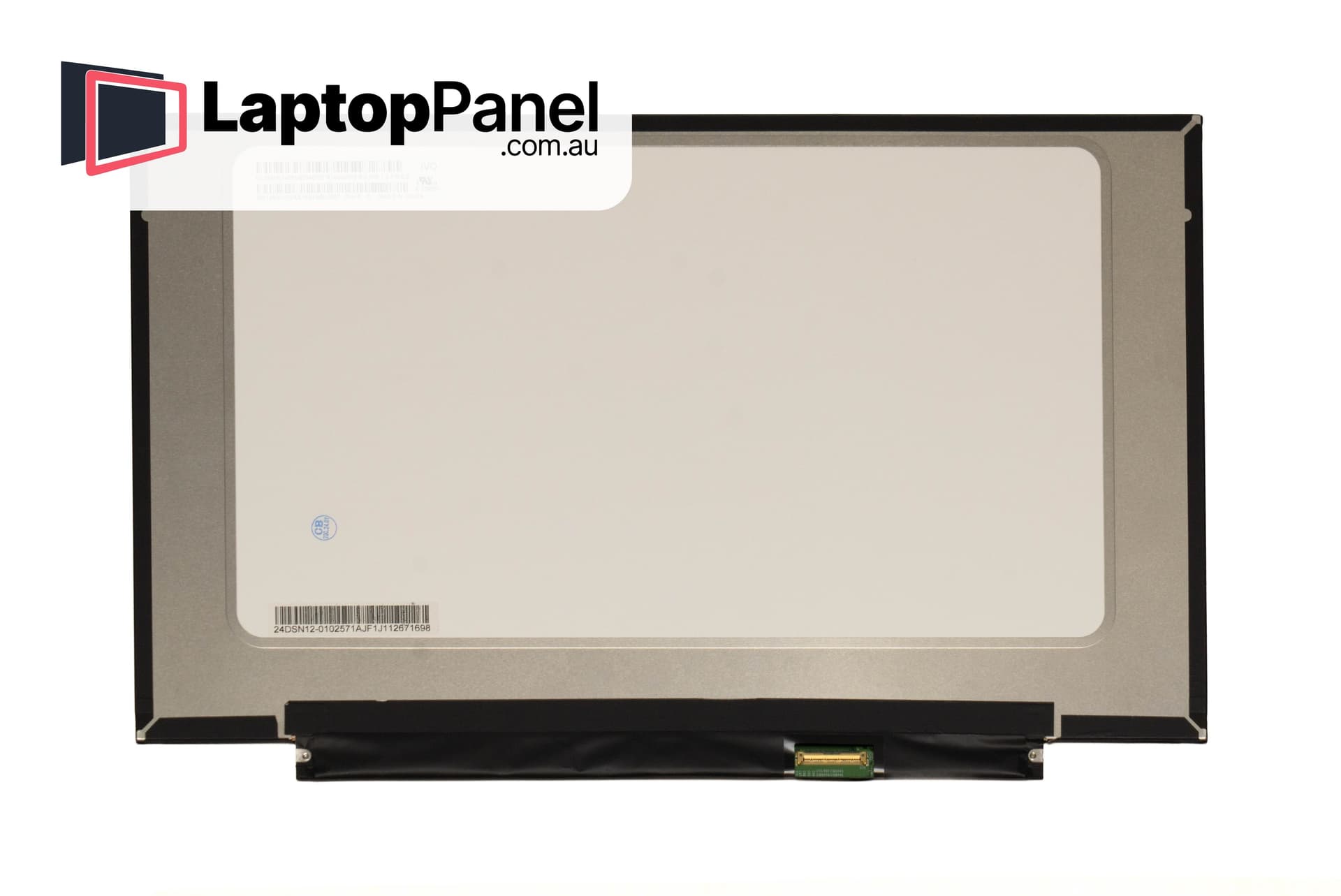
A replacement laptop screen compatible with the Lenovo 14E 14E CHROMEBOOK 82M1, supplied as the internal LCD panel with no bezels, lids or tape. Laptop brands fit several different panels to the same model, so please treat this as one compatible panel for the Lenovo 14E CHROMEBOOK 82M1 range and run through the checks below before ordering. Before you order The model number alone is not enough to be sure of a screen. Two minutes comparing this listing with your original panel saves a return: Specifications : compare the resolution, refresh rate, connector (pin count, size, location), mounting style and surface finish with your existing screen. A sharper or faster panel is not necessarily a guaranteed upgrade; the cable and connector often differ. Variations : where this listing offers more than one option, choose the variation that matches with your laptop, not simply the cheapest, as it may not be the right one. Images : the photos show the connector position and bracket locations (if any) of the panel supplied; check that they line up with your screen. Not sure? : send us the model number from the back of the screen along with your Lenovo 14E CHROMEBOOK 82M1 details, serial numbers and any photos and we will confirm compatibility before you buy. Quality and packaging Panels are sourced from established LCD manufacturers, inspected before dispatch and shipped in specialised secure packaging to enable safe delivery. The panel you recieve may have a different part number to the original one, but will be fully compatible. Fitting Screen replacement is one of the most common laptop repairs. With the laptop powered off and the battery disconnected, the bezel unclips or is held in with screws, the old panel is removed by either unscrewing or removing tape and the cables get transferred across to the new one. Work on a soft, static-free environment, hold the panel by its edges and NEVER force the connector. Always connect the panel, then connect the battery/power and test the panel before fully installing. We also offer repairs both in-store or by sending us the laptop. Warranty, returns and delivery Delivery: shipped Australia-wide. Returns: if a part arrives not working or different to what was in your laptop, contact us first and we will help you get it sorted.
Stock: In Stock

A replacement laptop screen compatible with the Lenovo 14E 14E CHROMEBOOK 82M2, supplied as the internal LCD panel with no bezels, lids or tape. Laptop brands fit several different panels to the same model, so please treat this as one compatible panel for the Lenovo 14E CHROMEBOOK 82M2 range and run through the checks below before ordering. Before you order The model number alone is not enough to be sure of a screen. Two minutes comparing this listing with your original panel saves a return: Specifications : compare the resolution, refresh rate, connector (pin count, size, location), mounting style and surface finish with your existing screen. A sharper or faster panel is not necessarily a guaranteed upgrade; the cable and connector often differ. Variations : where this listing offers more than one option, choose the variation that matches with your laptop, not simply the cheapest, as it may not be the right one. Images : the photos show the connector position and bracket locations (if any) of the panel supplied; check that they line up with your screen. Not sure? : send us the model number from the back of the screen along with your Lenovo 14E CHROMEBOOK 82M2 details, serial numbers and any photos and we will confirm compatibility before you buy. Quality and packaging Panels are sourced from established LCD manufacturers, inspected before dispatch and shipped in specialised secure packaging to enable safe delivery. The panel you recieve may have a different part number to the original one, but will be fully compatible. Fitting Screen replacement is one of the most common laptop repairs. With the laptop powered off and the battery disconnected, the bezel unclips or is held in with screws, the old panel is removed by either unscrewing or removing tape and the cables get transferred across to the new one. Work on a soft, static-free environment, hold the panel by its edges and NEVER force the connector. Always connect the panel, then connect the battery/power and test the panel before fully installing. We also offer repairs both in-store or by sending us the laptop. Warranty, returns and delivery Delivery: shipped Australia-wide. Returns: if a part arrives not working or different to what was in your laptop, contact us first and we will help you get it sorted.
Stock: In Stock

A replacement laptop screen compatible with the Lenovo 14E 14E CHROMEBOOK 82W6, supplied as the internal LCD panel with no bezels, lids or tape. Laptop brands fit several different panels to the same model, so please treat this as one compatible panel for the Lenovo 14E CHROMEBOOK 82W6 range and run through the checks below before ordering. Before you order The model number alone is not enough to be sure of a screen. Two minutes comparing this listing with your original panel saves a return: Specifications : compare the resolution, refresh rate, connector (pin count, size, location), mounting style and surface finish with your existing screen. A sharper or faster panel is not necessarily a guaranteed upgrade; the cable and connector often differ. Variations : where this listing offers more than one option, choose the variation that matches with your laptop, not simply the cheapest, as it may not be the right one. Images : the photos show the connector position and bracket locations (if any) of the panel supplied; check that they line up with your screen. Not sure? : send us the model number from the back of the screen along with your Lenovo 14E CHROMEBOOK 82W6 details, serial numbers and any photos and we will confirm compatibility before you buy. Quality and packaging Panels are sourced from established LCD manufacturers, inspected before dispatch and shipped in specialised secure packaging to enable safe delivery. The panel you recieve may have a different part number to the original one, but will be fully compatible. Fitting Screen replacement is one of the most common laptop repairs. With the laptop powered off and the battery disconnected, the bezel unclips or is held in with screws, the old panel is removed by either unscrewing or removing tape and the cables get transferred across to the new one. Work on a soft, static-free environment, hold the panel by its edges and NEVER force the connector. Always connect the panel, then connect the battery/power and test the panel before fully installing. We also offer repairs both in-store or by sending us the laptop. Warranty, returns and delivery Delivery: shipped Australia-wide. Returns: if a part arrives not working or different to what was in your laptop, contact us first and we will help you get it sorted.
Stock: In Stock
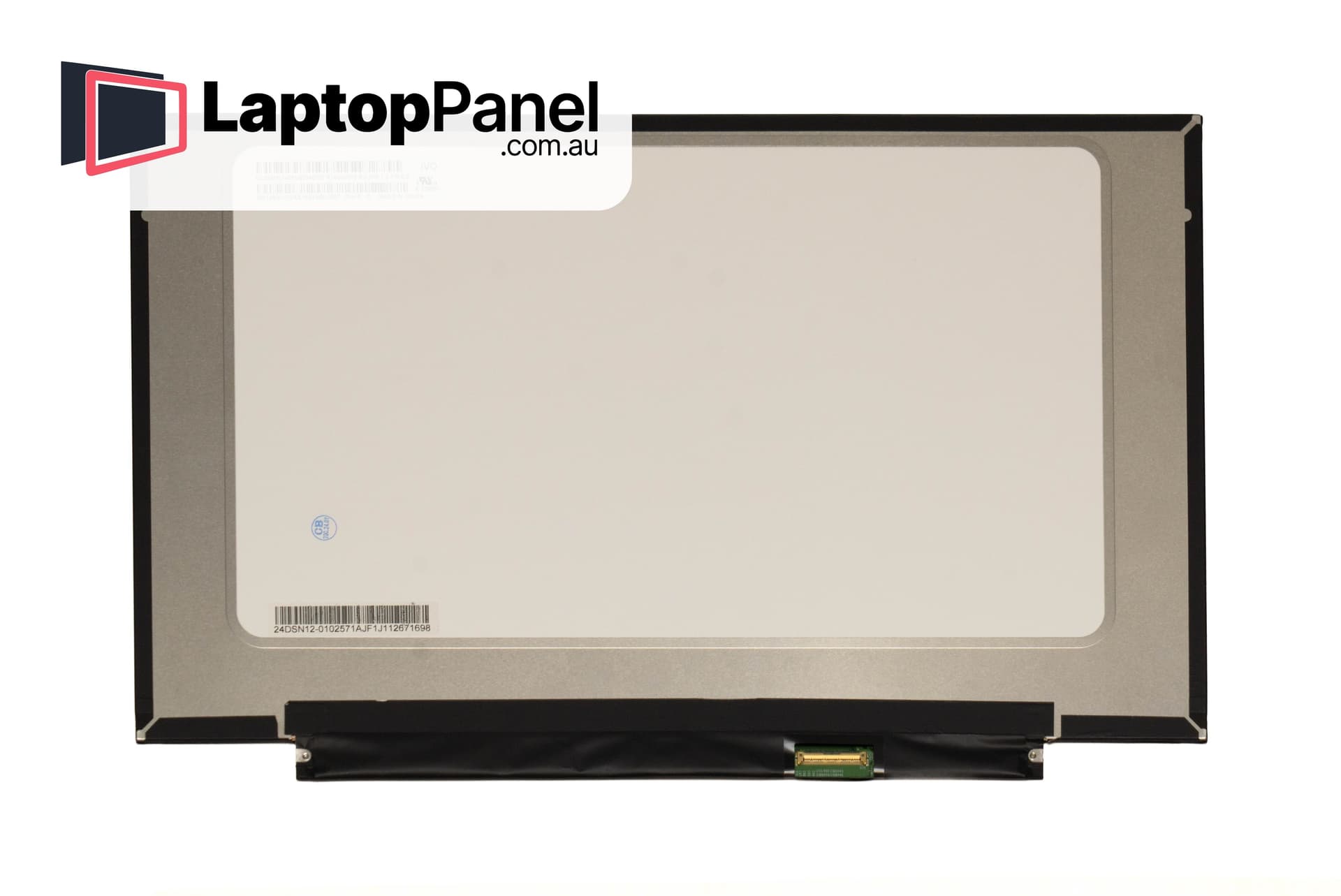
A replacement laptop screen compatible with the Lenovo 14E 14E CHROMEBOOK 82W7, supplied as the internal LCD panel with no bezels, lids or tape. Laptop brands fit several different panels to the same model, so please treat this as one compatible panel for the Lenovo 14E CHROMEBOOK 82W7 range and run through the checks below before ordering. Before you order The model number alone is not enough to be sure of a screen. Two minutes comparing this listing with your original panel saves a return: Specifications : compare the resolution, refresh rate, connector (pin count, size, location), mounting style and surface finish with your existing screen. A sharper or faster panel is not necessarily a guaranteed upgrade; the cable and connector often differ. Variations : where this listing offers more than one option, choose the variation that matches with your laptop, not simply the cheapest, as it may not be the right one. Images : the photos show the connector position and bracket locations (if any) of the panel supplied; check that they line up with your screen. Not sure? : send us the model number from the back of the screen along with your Lenovo 14E CHROMEBOOK 82W7 details, serial numbers and any photos and we will confirm compatibility before you buy. Quality and packaging Panels are sourced from established LCD manufacturers, inspected before dispatch and shipped in specialised secure packaging to enable safe delivery. The panel you recieve may have a different part number to the original one, but will be fully compatible. Fitting Screen replacement is one of the most common laptop repairs. With the laptop powered off and the battery disconnected, the bezel unclips or is held in with screws, the old panel is removed by either unscrewing or removing tape and the cables get transferred across to the new one. Work on a soft, static-free environment, hold the panel by its edges and NEVER force the connector. Always connect the panel, then connect the battery/power and test the panel before fully installing. We also offer repairs both in-store or by sending us the laptop. Warranty, returns and delivery Delivery: shipped Australia-wide. Returns: if a part arrives not working or different to what was in your laptop, contact us first and we will help you get it sorted.
Stock: In Stock
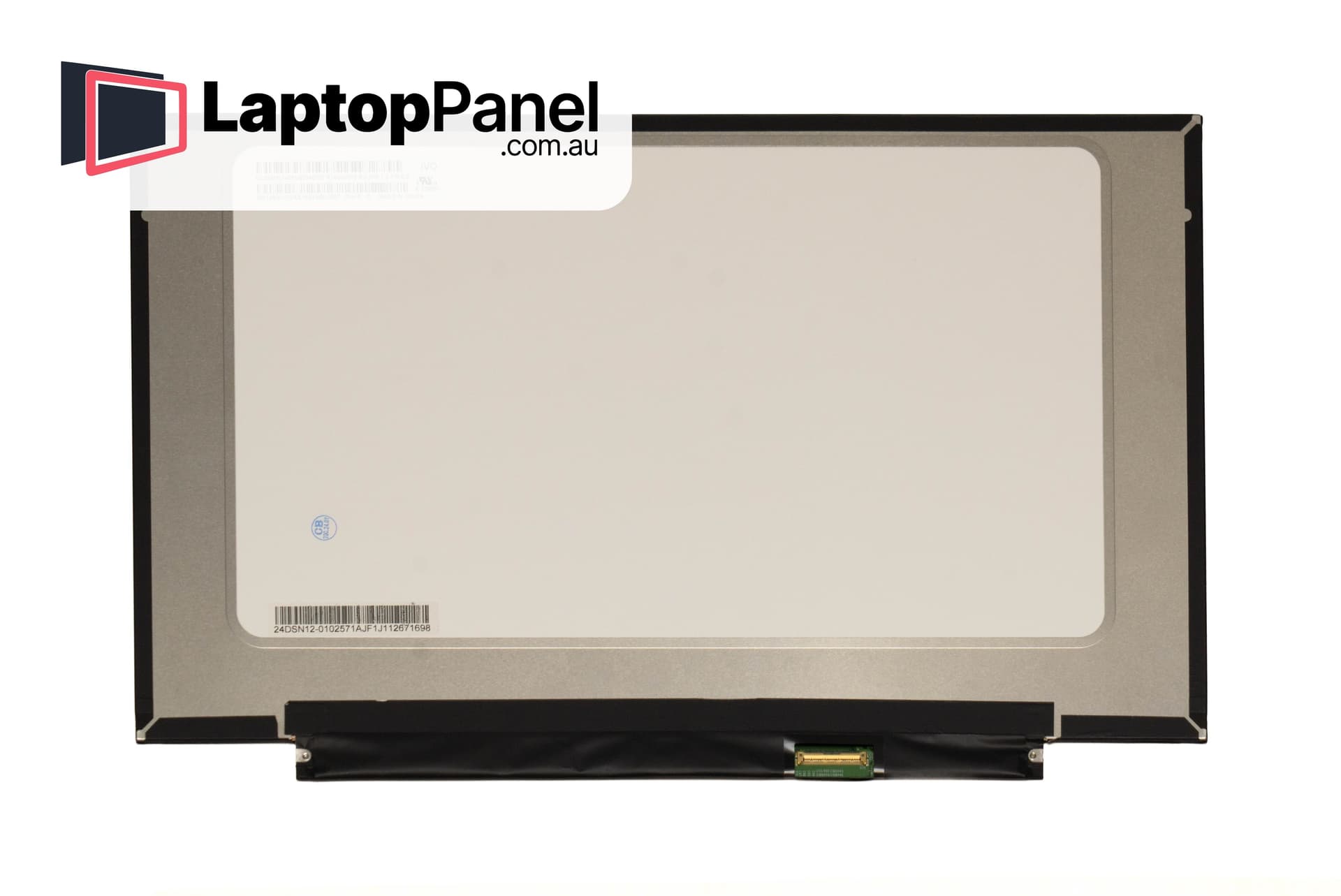
A replacement laptop screen compatible with the Lenovo 14E 14E CHROMEBOOK Gen 1, supplied as the internal LCD panel with no bezels, lids or tape. Laptop brands fit several different panels to the same model, so please treat this as one compatible panel for the Lenovo 14E CHROMEBOOK Gen 1 range and run through the checks below before ordering. Before you order The model number alone is not enough to be sure of a screen. Two minutes comparing this listing with your original panel saves a return: Specifications : compare the resolution, refresh rate, connector (pin count, size, location), mounting style and surface finish with your existing screen. A sharper or faster panel is not necessarily a guaranteed upgrade; the cable and connector often differ. Variations : where this listing offers more than one option, choose the variation that matches with your laptop, not simply the cheapest, as it may not be the right one. Images : the photos show the connector position and bracket locations (if any) of the panel supplied; check that they line up with your screen. Not sure? : send us the model number from the back of the screen along with your Lenovo 14E CHROMEBOOK Gen 1 details, serial numbers and any photos and we will confirm compatibility before you buy. Quality and packaging Panels are sourced from established LCD manufacturers, inspected before dispatch and shipped in specialised secure packaging to enable safe delivery. The panel you recieve may have a different part number to the original one, but will be fully compatible. Fitting Screen replacement is one of the most common laptop repairs. With the laptop powered off and the battery disconnected, the bezel unclips or is held in with screws, the old panel is removed by either unscrewing or removing tape and the cables get transferred across to the new one. Work on a soft, static-free environment, hold the panel by its edges and NEVER force the connector. Always connect the panel, then connect the battery/power and test the panel before fully installing. We also offer repairs both in-store or by sending us the laptop. Warranty, returns and delivery Delivery: shipped Australia-wide. Returns: if a part arrives not working or different to what was in your laptop, contact us first and we will help you get it sorted.
Stock: In Stock

A replacement laptop screen compatible with the Lenovo 14E 14E CHROMEBOOK Gen 2, supplied as the internal LCD panel with no bezels, lids or tape. Laptop brands fit several different panels to the same model, so please treat this as one compatible panel for the Lenovo 14E CHROMEBOOK Gen 2 range and run through the checks below before ordering. Before you order The model number alone is not enough to be sure of a screen. Two minutes comparing this listing with your original panel saves a return: Specifications : compare the resolution, refresh rate, connector (pin count, size, location), mounting style and surface finish with your existing screen. A sharper or faster panel is not necessarily a guaranteed upgrade; the cable and connector often differ. Variations : where this listing offers more than one option, choose the variation that matches with your laptop, not simply the cheapest, as it may not be the right one. Images : the photos show the connector position and bracket locations (if any) of the panel supplied; check that they line up with your screen. Not sure? : send us the model number from the back of the screen along with your Lenovo 14E CHROMEBOOK Gen 2 details, serial numbers and any photos and we will confirm compatibility before you buy. Quality and packaging Panels are sourced from established LCD manufacturers, inspected before dispatch and shipped in specialised secure packaging to enable safe delivery. The panel you recieve may have a different part number to the original one, but will be fully compatible. Fitting Screen replacement is one of the most common laptop repairs. With the laptop powered off and the battery disconnected, the bezel unclips or is held in with screws, the old panel is removed by either unscrewing or removing tape and the cables get transferred across to the new one. Work on a soft, static-free environment, hold the panel by its edges and NEVER force the connector. Always connect the panel, then connect the battery/power and test the panel before fully installing. We also offer repairs both in-store or by sending us the laptop. Warranty, returns and delivery Delivery: shipped Australia-wide. Returns: if a part arrives not working or different to what was in your laptop, contact us first and we will help you get it sorted.
Stock: In Stock

A replacement laptop screen compatible with the Lenovo 14E 14E CHROMEBOOK Gen 3, supplied as the internal LCD panel with no bezels, lids or tape. Laptop brands fit several different panels to the same model, so please treat this as one compatible panel for the Lenovo 14E CHROMEBOOK Gen 3 range and run through the checks below before ordering. Before you order The model number alone is not enough to be sure of a screen. Two minutes comparing this listing with your original panel saves a return: Specifications : compare the resolution, refresh rate, connector (pin count, size, location), mounting style and surface finish with your existing screen. A sharper or faster panel is not necessarily a guaranteed upgrade; the cable and connector often differ. Variations : where this listing offers more than one option, choose the variation that matches with your laptop, not simply the cheapest, as it may not be the right one. Images : the photos show the connector position and bracket locations (if any) of the panel supplied; check that they line up with your screen. Not sure? : send us the model number from the back of the screen along with your Lenovo 14E CHROMEBOOK Gen 3 details, serial numbers and any photos and we will confirm compatibility before you buy. Quality and packaging Panels are sourced from established LCD manufacturers, inspected before dispatch and shipped in specialised secure packaging to enable safe delivery. The panel you recieve may have a different part number to the original one, but will be fully compatible. Fitting Screen replacement is one of the most common laptop repairs. With the laptop powered off and the battery disconnected, the bezel unclips or is held in with screws, the old panel is removed by either unscrewing or removing tape and the cables get transferred across to the new one. Work on a soft, static-free environment, hold the panel by its edges and NEVER force the connector. Always connect the panel, then connect the battery/power and test the panel before fully installing. We also offer repairs both in-store or by sending us the laptop. Warranty, returns and delivery Delivery: shipped Australia-wide. Returns: if a part arrives not working or different to what was in your laptop, contact us first and we will help you get it sorted.
Stock: In Stock
Copyright of One Ninety Six Pty Ltd – © 2026. All rights reserved. LAPTOPPANEL.COM.AU ABN 15 621 495 850